Here is how the roulette and the random order tool work, shown on the real screens. There is nothing to sign up for or install, and the steps are the same on a phone and on a computer.
Using the roulette
Use it to pick one item out of several, such as one organizer or one place to eat.

Add items
Type a candidate into the field and press “Add”. It joins both the list and the wheel. The Enter key works too.
You can have 2 to 24 items, with up to 20 characters each. Three items (ramen, sushi and yakiniku) are already in the list, so you can try it right away.
Spin

Press “Spin” and the wheel turns, slowing to a stop over a few seconds. The item where it stops is shown large as the result.
While the wheel is turning, items cannot be added, edited or removed. To go again, wait for it to stop and press Spin once more.
Copy and share the result
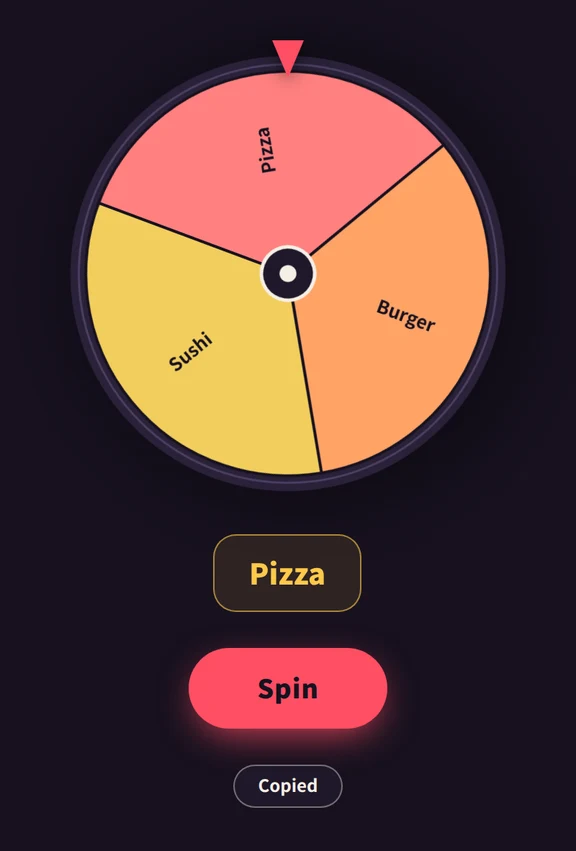
Press “Copy result” under the result and the result and the list of candidates go to your clipboard as text. Paste it straight into a chat or a note.
Nothing is copied unless you press this button.


Using the random order tool
Use it to arrange everyone at once, for a running order, seating or a chore chart.
Add items

As with the roulette, type into the field and press “Add”. You can have 2 to 24 items.
Four items, Team A to Team D, are already there. Replace them with names or teams of your own.
Shuffle

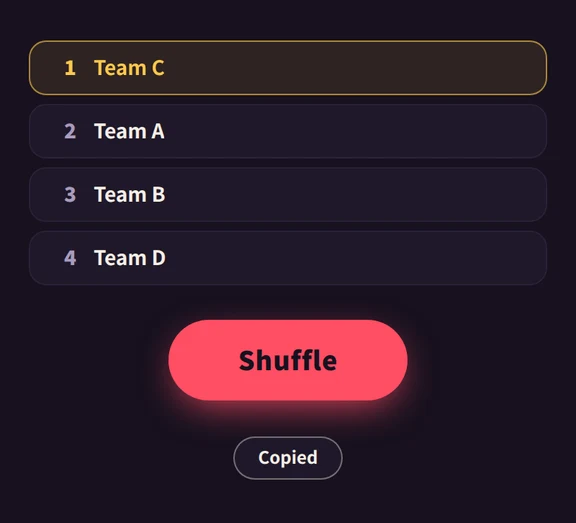
Press “Shuffle” and the items appear one by one from first place. Items cannot be added or edited until they have all appeared.
Press it again to draw a new order, as many times as you like.
Copy and share the result
Press “Copy result” and the ranked result goes to your clipboard as text.
Paste it into the group chat so that everyone sees the same order.


Good to know
- Fixing items: the pencil button next to an item edits it, and the button at the right end removes it.
- Roulette or random order: use the roulette to pick one, and the random order tool to arrange everyone.
- What happens to your input: items and results are processed only in your browser. Nothing is sent to a server, and everything disappears when you close or reload the page.
- If you find motion uncomfortable: the tools tone down their animation when your device has a setting such as “reduce motion” turned on. On the random order tool, the results then appear all at once.
- Japanese version: use the language switch at the top right of any page to move to the same page in the other language.
Frequently asked questions
- Is it free? Do I need to sign up?
- It is free. There is no registration and nothing to install. Open the page in a browser and it works.
- How many items can I enter?
- Both tools accept 2 to 24 items, with up to 20 characters each.
- Does it work on a phone?
- Yes. The layout adapts to the width of the screen and works with touch.
- Where do I report a problem or make a request?
- Through GitHub Issues. Telling us your device, your browser, and what you did on which screen helps us find the cause.